An underwater picture needs more than a blue background. The surface, light, and subject should suggest the same space. For realistic AI image generation, describe where the camera sits in the water and which way the animal is moving. A shallow lagoon, a school of fish, and an upward view of a sea lion offer different ways to show distance and motion.
Camera Position Defines the Underwater Scene
Decide whether the picture looks across the seabed or into open water. That choice determines which clues the scene needs. In a shallow lagoon, a visible surface and sandy bottom help place the subject between them. In an open‑water view, overlapping fish and progressively softer shapes can suggest distance without a detailed seabed.
Write the viewpoint before adding decorative effects. “Underwater at turtle height, looking horizontally across pale sand” is a clear direction. “Beautiful ocean, cinematic, ultra‑detailed” leaves the relationship between the camera and the animal unresolved. You can keep the mood words, but give them a specific scene to describe.
The frame also needs somewhere for the movement to go. If a turtle faces right, leave room ahead of its head. A tight crop against its nose can make a quiet glide feel abrupt, even when the anatomy and colors are convincing.
A Shallow Lagoon Makes the Light Easy to Read
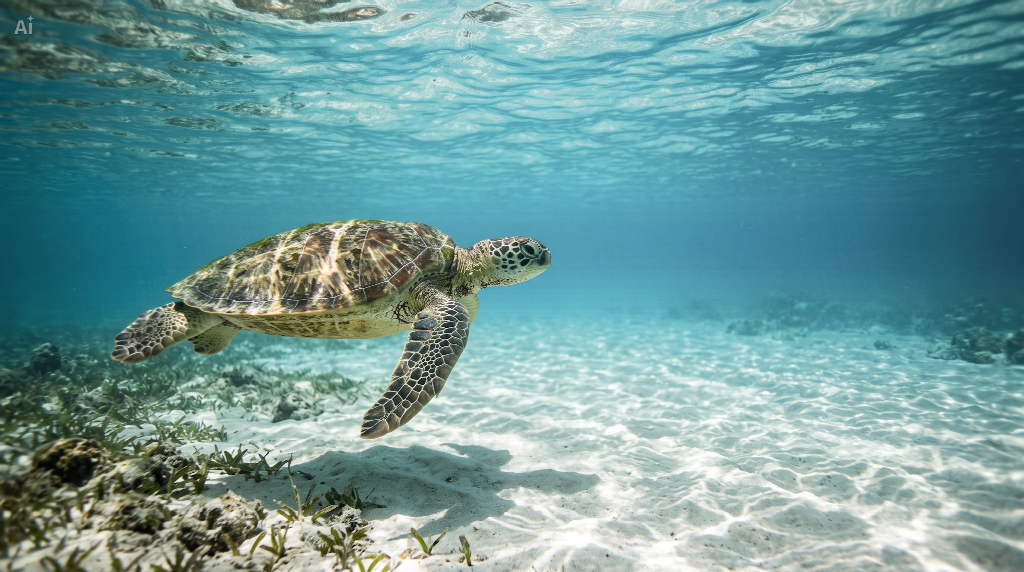
The turtle scene uses a simple arrangement: surface above, sand below, and one animal between them. Pale sand gives the light patterns somewhere to appear. The darker shell provides a second surface, so the illumination belongs to the environment rather than looking like an effect added around the animal.
Keep that lighting description consistent. Ask for sunlight from the upper left and gentle highlights on the turtle's upper surfaces. Irregular bright patterns can cross the sand, but they should not compete with the turtle's outline. A restrained shadow underneath helps show that the animal is swimming above the bottom, not resting on it.
For this example, open CapCut's image generation tool and enter a scene description. CapCut supports creating images from text prompts. This AI art prompt establishes the viewpoint and light before specifying the finish:
Create a horizontal, photorealistic underwater image of one sea turtle gliding from left to right above rippled pale sand in a shallow tropical lagoon. View the turtle from the side at its height, with its whole body visible and open water ahead. Include the rippling surface along the top of the frame. Sunlight enters from the upper left, forming subtle irregular light patterns on the shell and sand. Add a soft shadow beneath the turtle and a small patch of seagrass in the lower‑left foreground. Keep the turtle clearly defined while the distant sand fades into softer blue water. Use natural proportions and restrained colors. No additional animals, people, lettering, or decorative effects.
The seagrass is a small foreground anchor, not a second subject. You could leave it out for a quieter composition. Avoid adding coral, a wreck, a diver, and a fish school to the same prompt unless those elements are essential to the picture you want.
Fish Need a Shared Direction Rather Than Identical Poses
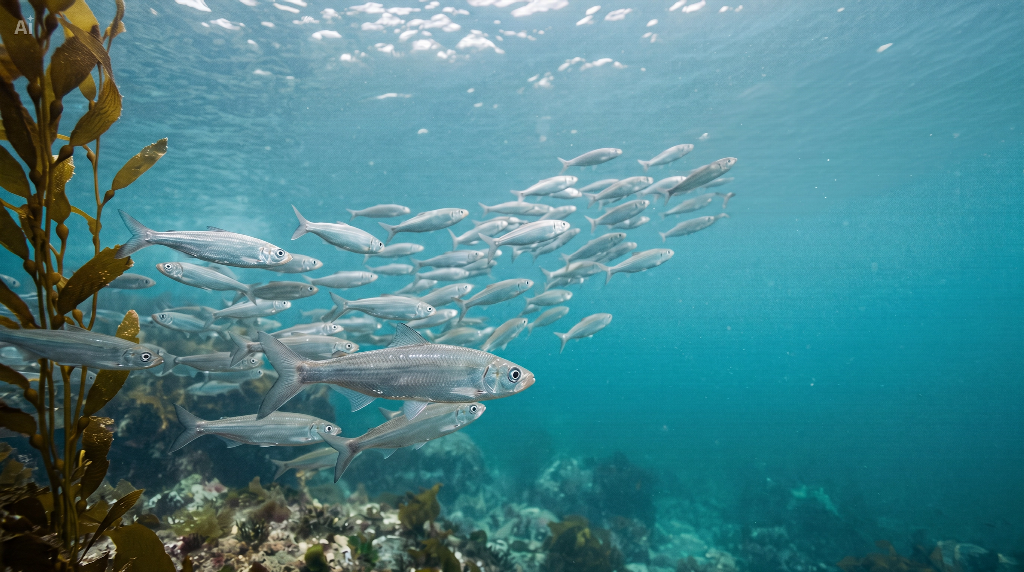
A school of fish changes the task. Instead of following one recognizable animal, the viewer reads a pattern of movement. Describe that pattern first: a loose ribbon crossing the frame, a broad turn, or a group receding into the distance. Then allow small variations in spacing and body angle.
For a different composition, ask for silver fish moving diagonally toward the upper right beside a few tall kelp fronds. Keep open water ahead of the leading fish. Nearby bodies can show individual shapes and highlights; farther fish should be smaller and less distinct. The group should read as a school without becoming a row of identical cutouts.
A useful prompt adaptation is: “A loose ribbon of small silver fish curves from the lower left toward the upper right through blue‑green open water. Sparse kelp fronds rise along the left edge. The nearest fish are individually defined, with varied spacing and slightly different swimming angles; distant fish soften into the water. Gentle daylight comes from above. Keep clear space ahead of the school, with no predator, dense bait ball, or bubbles filling the frame.”
Motion does not require blurring the entire scene. The curve of the school and the alignment of the bodies already suggest travel. Keep the leading fish readable before experimenting with a softer background.
Looking Up Makes the Surface Part of the Composition
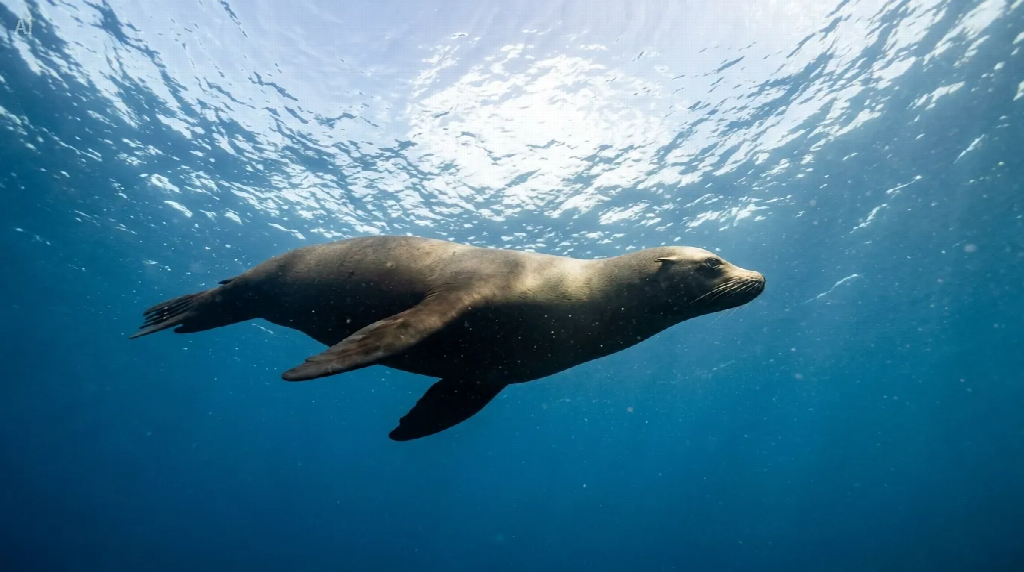
The sea lion is seen from below, with rippling water filling the background above it. Unlike the lagoon view, this composition does not need a seabed to establish its orientation. The bright surface and darker lower water tell the viewer which way is up.
Keep the body darker than the surface without losing all its detail. Here, light catches the upper contour, while the muzzle and extended flippers remain readable against the blue. The open space beyond the nose continues the glide; a second animal or fish school would compete with that simple line of travel.
Adapt the viewpoint with a short instruction: “Look upward from below and slightly beside one sea lion gliding right beneath a bright, rippling surface. Keep the whole body visible, with open water ahead and subtle detail in the darker underside. Do not show a seabed.” Check the outline before increasing brightness. If the surface becomes a blank white patch, ask to retain its irregular ripple pattern while keeping the animal distinct.
Three Details to Check Before Downloading
Review the water first. A visible surface should feel connected to the light below it. The distant background should not demand more attention than the nearby subject. If every layer has equally sharp detail, try asking for a softer background while preserving the foreground.
Next, follow the movement. Can you trace a clear route ahead of the turtle or sea lion, or through the turn of the school? If not, simplify the surrounding elements or widen the space in the direction of travel.
Finally, enlarge the animal details. Check the turtle's flippers and shell edges, or the silhouettes of the nearest fish. In CapCut, use a follow‑up prompt for a specific adjustment. For a crowded school, try “Widen the framing and leave the rightmost third as open water ahead of the fish.” Review the updated image, then use Download to save the version you want.
Summary
Convincing underwater scenes connect the camera position, light, and swimming direction. Start with one clear arrangement, then add only the details that explain the water around it. Explore AI image generation with CapCut to develop a lagoon, fish‑school, or upward‑looking sea lion scene and refine it with a focused follow‑up prompt.